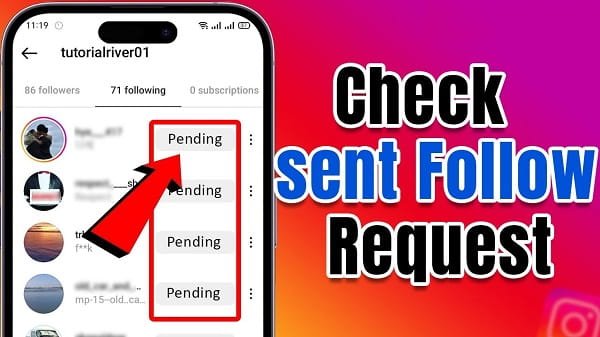
Instagram allows you to send follow requests to private accounts. Sometimes you want to review which accounts you have sent requests to and which ones are still pending. Instagram does not provide a direct list inside the app for sent follow requests, but there are clear ways to check them.
1. Quick Way: Check Individual Profiles
- Open the Instagram app.
- Go to the profile of the person you think you followed.
- If it shows “Requested” below their name instead of “Follow”, it means your follow request is still pending.
This method works well if you remember the usernames, but it is not practical for checking many accounts.
2. Best Method: Download Your Instagram Data (Official & Complete)
This is the most reliable way to see all your pending follow requests and recent ones.
Steps:
- Open the Instagram app on your phone.
- Tap your profile picture in the bottom right.
- Tap the three lines (menu) in the top right.
- Go to Settings and privacy.
- Tap Accounts Center (at the top).
- Select Your information and permissions.
- Tap Download your information.
- Choose Download or transfer information → Some of your information.
- Select Followers and following (or Connections).
- Tap Next, choose Download to device, select All time as the date range, and tap Create files.
- Instagram will notify you via email when the file is ready (usually within minutes to a few hours).
- Download the ZIP file and extract it.
- Open the folder named followers_and_following.
- Click on pending_follow_requests.html (or similar file).
- You will see a complete list of accounts to which you have sent follow requests that are still pending.
You can also check recent_follow_requests for recently sent requests (including accepted or cancelled ones).
3. Cancel a Sent Follow Request
- Go to the person’s profile.
- Tap Requested.
- Select Cancel request.
4. Other Tips
- Search History: Sometimes you can find recent searches and check profiles manually.
- Notifications: Occasionally, Instagram shows activity related to follow requests in your notifications.
- Multiple Accounts: Repeat the data download process for each Instagram account.
- Desktop Version: You can also request data download from instagram.com on a computer for easier viewing.
Important Notes
- Downloading your data is safe and done directly through Instagram (Meta).
- The list only shows pending If someone rejected or accepted your request, it may not appear in the pending file.
- Instagram may take some time to prepare the data file.
- Avoid third-party apps claiming to show sent requests — they can be unsafe and may lead to account suspension.
Conclusion
The easiest and safest way to check all follow requests you have sent on Instagram is by downloading your account data and viewing the pending_follow_requests file.
For quick checks, simply visit individual profiles and look for the “Requested” button. Managing your follow requests regularly helps keep your Instagram interactions clean and organized.