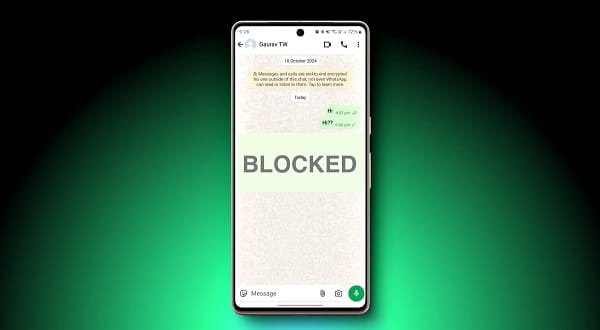
WhatsApp is the most popular messaging app in India, used by millions for chatting with family, friends, colleagues, and business contacts. Sometimes, messages stop delivering, and you wonder — “Did they block me?”
WhatsApp does not send any notification when someone blocks you. However, there are several reliable ways to figure it out. This guide explains simple methods in easy English for Android and iPhone users.
Why Do People Block on WhatsApp?
- Privacy concerns
- Avoiding unwanted messages or calls
- After arguments or misunderstandings
- Business or spam-related reasons
Important Note: There is no 100% guaranteed method. WhatsApp keeps blocking private. Combine multiple checks for better confirmation.
1. Check Profile Picture and About Info
- Open WhatsApp and go to the chat with that person.
- Tap on their name at the top.
Observe:
- If you can see their profile picture (which you could see before), they probably haven’t blocked you.
- If the profile picture is blank/default grey icon, it may be a sign of blocking.
- Check About section: If “About” info is missing (previously visible), it’s a strong sign.
Note: Some people remove their DP or About info for privacy. So this alone is not final proof.
2. Check Last Seen and Online Status
- Open the chat.
Look below their name:
- If you see “last seen” or “online” status, they have not blocked you.
- If it shows “last seen a long time ago” or nothing at all (and this is new behavior), it could mean you are blocked.
Again, if they have turned off “Last Seen” for everyone in privacy settings, this method won’t work.
3. Message Delivery Status (Most Reliable Method)
This is the strongest indicator:
- Send a message to the person.
- Check the ticks:
- One grey tick: Message sent from your side but not delivered. Possible block.
- Two grey ticks: Message delivered (not blocked).
- Two blue ticks: Read by them.
If your messages stay on single tick for many days (and previously showed double ticks), there is a high chance you are blocked.
Test Tip: Send a normal message like “Hi, how are you?” and wait 1–2 days.
4. Try Making a Voice or Video Call
- Open the chat.
- Tap the phone or video call icon.
- If the call does not ring and shows “Calling…” forever or fails immediately, it is a strong sign of being blocked.
- If the call rings normally, you are not blocked.
5. Check Through WhatsApp Group
- Create a new group.
- Add the suspected person and one mutual friend.
- If you cannot add that person to the group, it is very likely they have blocked you.
This is one of the most accurate methods.
6. Additional Checks
- Status (Stories): If you cannot see their recent status updates (while mutual friends can), possible block.
- Business Account: For business chats, check if you can still see catalog or send messages.
- Mutual Friends: Ask a common friend politely if they can see the person’s profile, last seen, or messages.
- Number Change: Sometimes people change numbers. Check “This chat is with the new number” message.
Android vs iPhone Differences
The steps are almost the same on both.
- Android: More customization options.
- iPhone: Slightly cleaner interface but same indicators.
Update WhatsApp to the latest version for accurate results.
What to Do If You Are Blocked
- Respect their decision. Do not try to contact them through other numbers or apps.
- Give them space.
- If it’s important (family or urgent work), try calling from another number or meet in person.
- Focus on other relationships.
Warning: Creating a new number just to check or message someone who blocked you can be considered harassment. Always be respectful.
Extra Tips for Users
- Family & Relatives: Blocking sometimes happens due to misunderstandings. Talk face-to-face.
- Business Contacts: If a client blocks you, check your messaging tone and professionalism.
- Privacy Settings: Go to Settings → Privacy and review who can see your profile, last seen, and status.
- Dual SIM Phones: Check on both SIMs if using two numbers.
- Fake/Unknown Numbers: Be careful while chatting with strangers.
- After Reinstalling WhatsApp: Sometimes status resets — wait for some time.
- Network Issues: Single tick can also happen due to poor internet on their side. Wait 2–3 days before concluding.
- Common in India: Blocking is common after matrimonial disputes, college group fights, or debt reminders.
How to Prevent Being Blocked
- Don’t send too many messages or forwards.
- Respect “Do Not Disturb” timings.
- Avoid sharing too much spam or political content.
- Maintain good chat etiquette.
Conclusion
There is no direct “Block Status” button in WhatsApp, but combining these signs gives you a clear idea:
- No profile picture + single tick + call not ringing + cannot add to group = High chance of being blocked.
Save this article or take screenshots of the steps. Remember, being blocked is not always the end — sometimes people unblock later.
If it’s someone important, try resolving the issue politely. For casual contacts, it’s better to move on and focus on people who value your presence.
Share this guide with your friends and family so they also know how to check. Stay safe, respectful, and enjoy meaningful conversations on WhatsApp!
Note: WhatsApp regularly updates its features. The above methods are reliable as of 2026. Always respect others’ privacy and avoid misusing these checks.