Your earbuds show 100% charge before you leave home, but one side dies halfway through a call. The charging case needs power every evening, and the battery percentage drops even when the earphones are not being used. These are common signs that the batteries inside your true wireless earphones are reaching the end of their useful life.
True wireless earbuds contain separate rechargeable batteries in the left earbud, right earbud and charging case. These batteries naturally lose capacity after repeated charging cycles. Timely replacement can restore practical listening time, but delaying action after overheating or swelling appears can create a safety risk.
The Playback Time Has Reduced Sharply
A gradual reduction in battery life is normal. However, replacement should be considered when fully charged earbuds deliver only a small portion of their original playback time.
For example, earbuds that once lasted six hours may become inconvenient when they switch off after one or two hours. Before assuming the battery has failed, turn off active noise cancellation, reduce volume and update the companion app. These features can affect playback time.
If endurance remains poor under normal settings, the internal cells have probably lost significant capacity.
One Earbud Discharges Much Faster
It is common for one earbud to consume slightly more power because it may handle the main Bluetooth connection or microphone functions. A major difference is not normal.
When the left earbud remains at 60% while the right one turns off, clean the charging contacts and confirm that both buds are sitting correctly inside the case. A dirty contact may prevent one side from reaching a full charge.
Reset and pair the earphones again. If the same earbud repeatedly drains much faster, its battery may need replacement.
The Charging Case No Longer Holds Power
The case is responsible for recharging both earbuds away from a wall socket. As its battery ages, it may charge the earbuds only once instead of several times.
Another warning sign is rapid self-discharge. A fully charged case should not become empty after remaining unused for a short period. Check whether the earbuds are connecting to the phone while inside the case, as an improper fit can keep them active.
When the case loses power quickly despite clean contacts and correct placement, its battery may be worn out.
Charging Has Become Unpredictable
Battery deterioration can cause the displayed percentage to behave strangely. The earbuds may jump from 40% to 5%, remain stuck at one level or shut down without displaying a low-battery warning.
Try a different charging cable and a suitable power adapter. Clean the case port carefully with a dry, soft brush and install available firmware updates.
Persistent percentage jumps or unexpected shutdowns usually indicate that the battery can no longer deliver stable power.
Heat, Swelling or Odour Requires Immediate Action
Stop using the earphones immediately if an earbud or charging case becomes unusually hot, changes shape, produces a chemical smell or develops a visible gap around its casing.
Do not press, puncture or continue charging a swollen battery. Keep the product away from heat and flammable materials, and contact an authorised service centre for safe handling.
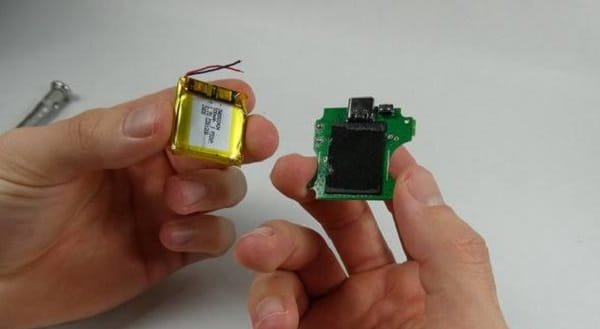
Lithium batteries are tightly packed inside true wireless products. Opening them without suitable tools and training can damage the battery, microphone, speaker or charging circuit.
Decide Between Battery Replacement and New Earphones
Battery replacement makes sense when the earphones are premium, otherwise functional and supported by an authorised repair programme. It may also be worthwhile when genuine replacement components and a repair warranty are available.
Buying a new set may offer better value when the earphones are several years old, replacement costs approach the price of a modern model or other parts are already failing. Cracked cases, weak microphones, connection problems and damaged speakers can make battery repair less practical.
Ask for the total cost covering both earbuds, the charging case, labour and testing before approving the work.
Extend the Life of the New Battery
Avoid leaving the earphones inside a hot car or in direct sunlight. Wipe sweat from the earbuds before returning them to the charging case, and keep the charging contacts dry.
Use a reliable cable and the recommended charging specification. Do not charge a wet case, and avoid running the batteries completely flat every day. When storing the earphones for several weeks, leave them partially charged and check them occasionally.
FAQs
Q: How long do true wireless earphone batteries usually last?
A: Many batteries remain useful for around two to four years, depending on charging frequency, heat exposure, listening habits and product quality.
Q: Can the batteries in wireless earbuds be replaced?
A: Some models can be serviced, but many use sealed construction and require specialist tools. Confirm availability with the manufacturer or an experienced authorised technician.
Q: Why does one earbud die before the other?
A: One side may perform more connection or microphone work. A large difference can also result from dirty charging contacts, incomplete charging or a weakened battery.
Q: Is it safe to replace an earbud battery at home?
A: It is generally not recommended. Earbuds contain tiny lithium cells near delicate electronics, and incorrect handling may cause short circuits, overheating or permanent damage.